scriba:

Never type up a conversation again.

Give scriba a recording you already have. It hands back a document that says who said what, with the real names on the lines, recognised from voices it has met in earlier recordings.

macOS on Apple Silicon, with Python, ffmpeg and a Hugging Face account for the speaker models. You build the app from the repository rather than downloading it.

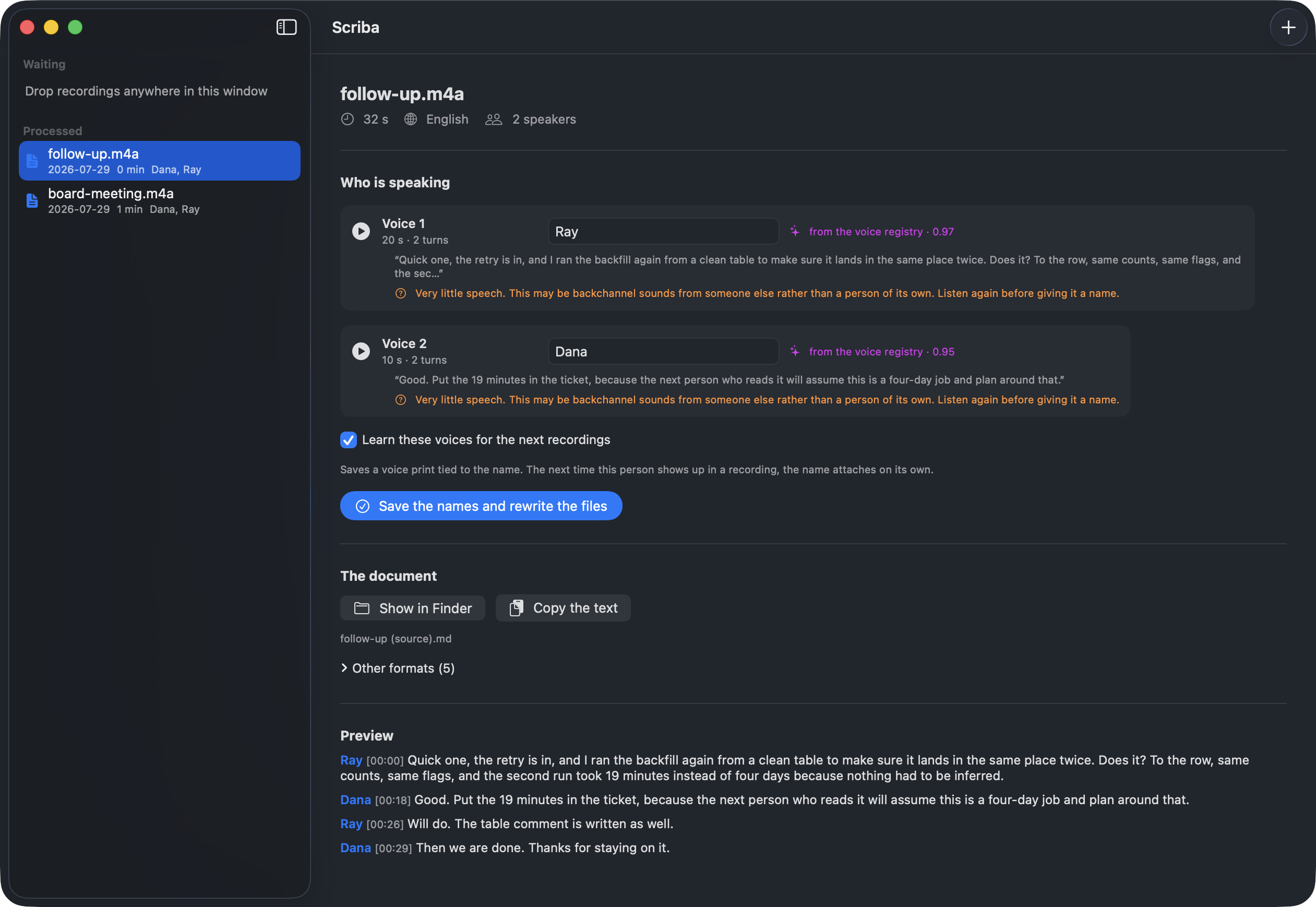
The Scriba window showing two speakers, each already named from the voice registry with a confidence score, alongside a quote from each and a preview of the transcript
8m 13sfor 6m 45s of talk, from the file to the finished document, on an M4
Onceyou name a voice. Later recordings arrive with it filled in
41turns of real talk out of a file Whisper alone cut into 16 mixed blocks
0bytes of audio sent anywhere, and pyannote's own telemetry switched off

What comes back

One document,
names already
in it.

scriba records nothing. You hand it a file you already have, off a phone or a recorded call, and it writes the conversation out with a name at the front of every turn.

Typing up an hour of talk costs an afternoon, and most of that afternoon goes on the part nobody counts: deciding which of the people in the room said which line, then holding that straight for another two hundred lines.

The document opens with who was there and how long each of them spoke. A voice it could not put a name to is marked as unidentified on every line it appears on, so nobody reading the transcript next month mistakes Voice 3 for someone they know.

# Team sync, 18 July

## Overview
- **Duration**: 00:47:12
- **Participants**: Ada (18:22 of
  speech), Rafiq (14:05 of speech)
- **Unidentified voices**: Voice 3.
  A distinct person, and their name
  is never spoken in the recording.
  Do not guess who they are.

## Transcript

**Ada** [00:12]: Right, so where did
we land on the migration?

**Rafiq** [00:31]: Staging is done.
Production waits for the backup
window.
The file it writes. Five more come out of the same run for whatever else reads your transcripts, subtitle files and JSON among them.

The chore that never ended

A voice you
have named
stays named.

Anything that tells speakers apart hands you Voice 1 and Voice 2. Those numbers mean nothing, and they are dealt out afresh on the next file, so the same person is Voice 1 on Monday and Voice 3 on Tuesday. You rename them by hand on every recording, forever.

Type a name once and scriba keeps a print of that voice under it. On every later recording it compares whoever is talking against the voices already on file, and the names are in place before you read a line.

How sureWhat it does
CertainPuts the name straight on the transcript.
CloseOffers the name and waits. Confirming stays your job.
NewLeaves the voice numbered, for you to name or leave alone.
A tieTwo people on file match about equally well, so it picks neither and says so.

A wrong name raises no error anywhere. It settles into the finished document and quietly poisons everything anybody reads out of it later, so the unanswered question is the better failure. Each row carries a play button next to the name field for the same reason: when naming a voice costs less than checking it, people name without checking.

How a run goes

Nothing starts
on its own.

Writing down the words takes roughly as long as the recording lasts. An app that begins the moment you drop a file in is an app that took an hour of your machine without asking.

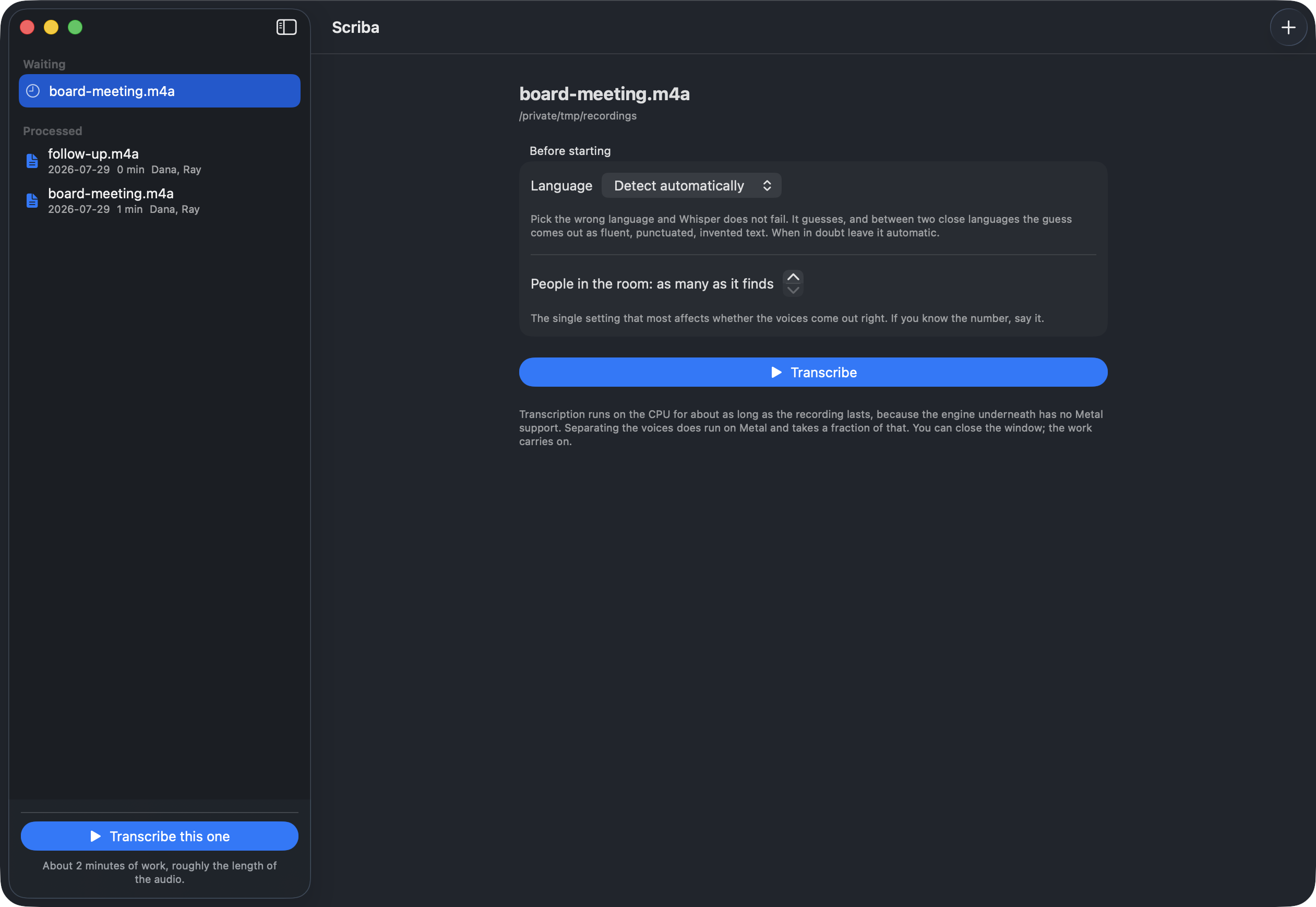
Drop the files in, say what language it is and how many people were in the room if you know, then press the button. The wait is on screen before the run rather than after, because a progress bar that has not moved in four minutes reads as a hang.

A queued recording with two settings, language and number of people in the room, above a Transcribe button
Two settings and one button. The number of people in the room is the setting that changes the result most.

Seven stages,
and the log
underneath.

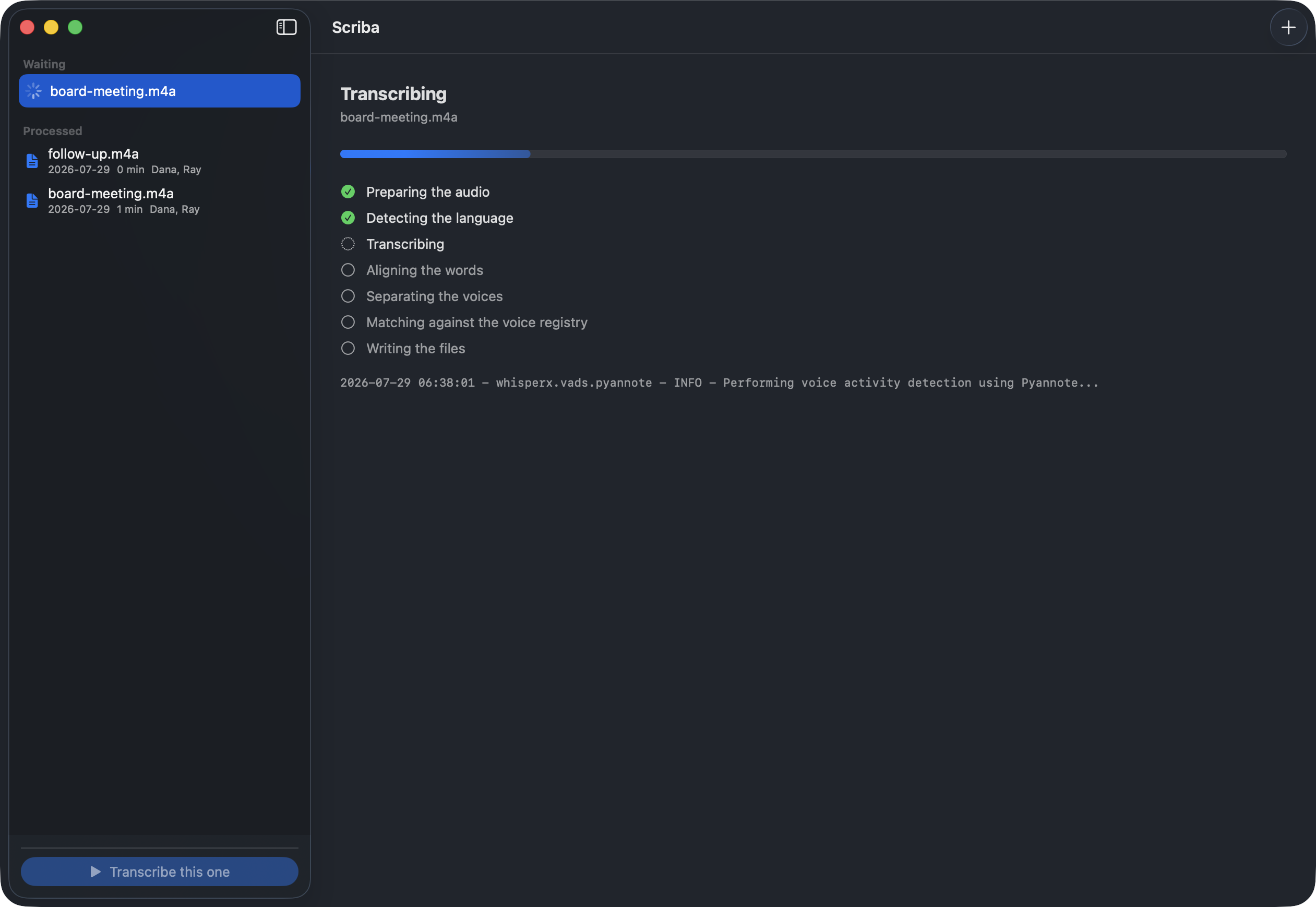
Preparing the audio, working out the language, writing the words down, lining them up with the clock, separating the voices, matching them against the ones on file, saving the documents. Each one is ticked as it finishes.

The window can be closed while it works. What the engine prints is shown as it prints it, because a machine that has gone quiet for ten minutes should be able to prove it is still busy. Every stage is kept afterwards, so correcting a name rewrites the documents and transcribes nothing again.

The run in progress: preparing the audio and detecting the language are ticked, transcribing is next, and the engine's own log line is shown below

How long you wait

The same recording, measured rather than estimated.

6 minutes 45 of Spanish conversation on an M4 with 16 GB, warm model cache, identical settings on both sides.

Writing the words down
443.1s
Separating the voices, CPU
225.9s
Separating the voices, Metal
35.7s
Lining words up with the clock
14.1s

Most of the wait is one stage. The engine that writes the words down cannot use Metal, the graphics side of an Apple chip, so it stays on the CPU whatever you do. Separating the voices does use Metal, and that output was checked against the CPU run before it became the default: the same 165 turns, the same labels, every boundary matching to the millisecond.

One thing worth knowing

pyannote reports
home by default.

The library that separates the voices, pyannote, ships a telemetry module. Its own config.yaml sets metrics_enabled: true, and it contacts an endpoint at pyannote.ai every time a model loads and every time a file is processed.

scriba turns it off before any import path can reach pyannote, because the flag is read once at import time and setting it afterwards does nothing. If you use pyannote yourself on recordings of private conversations, set PYANNOTE_METRICS_ENABLED=false by hand. It is the sort of default that a claim about audio never leaving your machine has to account for rather than talk around.

Getting it running

Four steps,
one of them
a licence page.

  1. 01

    Install it into an environment of its own

    Python 3.10 or newer and ffmpeg. A launcher on your PATH saves you from typing conda activate forever.

  2. 02

    Put the token in the Keychain

    scriba token hf_…. It goes into the Keychain rather than into a file in your home directory.

  3. 03

    Accept three model licences

    speaker-diarization-3.1, segmentation-3.0 and speaker-diarization-community-1, on the same account as the token. Miss one and the download fails with a bare 403.

  4. 04

    Run it, and name the voices once

    Every recording after that arrives with the names already filled in. For the window in these screenshots, cd macapp && ./build.sh: it is built from the repository rather than downloaded, and it drives the same command line.

# the language is worked out on its own
scriba run recording.m4a

# knowing the number of people helps more
# than any other setting
scriba run meeting.m4a --min-speakers 2 \
                       --max-speakers 2

# who is who, before you decide
scriba dossier meeting.m4a

# name them once
scriba name meeting.m4a \
  SPEAKER_00=Ada SPEAKER_01=Rafiq

# and from here on
scriba voices list
scriba watch ~/Memos
scriba jobs list
The macOS app runs this same command and reads its JSON. There is no second copy of the logic to drift apart a day later.

Optional reading

What is
underneath.

The words come from whisperX 3.8.6 with the large-v3 model, running on faster-whisper and ctranslate2, which has no Metal backend in any released version and so stays on the CPU, unless you build the one from the open pull request: the same recording then takes 80 seconds instead of 443, for the same words. Separating the voices is pyannote, called directly instead of through whisperX, on the community-1 model.

Calling it directly is what makes the names possible. pyannote computes a 256-dimensional voice print for each speaker along the way, because that is how it separates them at all, and whisperX discards it. scriba files that print under the name you type and compares later recordings against the registry by cosine similarity. At 0.75 and above the name is applied. Between 0.55 and 0.75 it is offered as a suggestion. Below 0.55 the voice counts as one it has not heard, and a winner has to beat the runner-up by 0.05 before anything is chosen at all.

Those thresholds are a starting point to calibrate rather than a published constant. scriba whoami reads a folder of your own recordings, compares voices across files rather than inside them, and prints where the two populations separate in your own material, so the numbers can be measured instead of assumed.

Whisper cuts its output roughly every 30 seconds no matter who is speaking. The alignment stage puts a timestamp on each word, which is what lets scriba cut the transcript where the speaker changes: on the test file, 41 turns of conversation out of 16 blocks that each held more than one person.

The language is worked out from five points spread across the file rather than from the first thirty seconds, and the result is reported as a doubt when the samples disagree, or when they agree without conviction between two languages this model is known to mix up. Getting that wrong is quiet: Whisper does not fail on the wrong language, it translates by ear and returns something fluent that nobody said.

It is an afternoon's worth of code, written in one sitting and then read and corrected against real audio. Every number on this page was measured on the machine it names. The source is there to check.