Command line tool and macOS app
paratia
paratia keeps the folders you choose encrypted, so that a coding agent cannot read them while they are locked. It also keeps a log of who opens or changes the files you watch.
A coding agent is an AI program that edits files and runs commands on your machine.
Runs on macOS. Licensed under GPL-3.0.
The problem, in two halves
A coding agent runs with your permissions, so it can read every file your account can read.
Half one
A file the agent cannot read
The usual answer is to write the rule down: a line in a configuration file, a path on a deny list (a list of paths the agent may not touch), or a sentence in a skill (a set of instructions the agent loads for one kind of task). All three sit where the agent's own instructions sit, so a model that misreads them gets past all three. A web page can carry an instruction too, and the agent may fetch that page in the middle of a task.
A deny list only covers the spellings someone thought of. The path /Volumes/vault/token can be on the list. The command cat "$(printf '/Volumes/va''ult/token')" reads the same file, and the list does not match it. There is no end to the spellings, so every list is incomplete.
Half two
Capabilities that compose
Two agents from different vendors each follow their own policy, and nobody enforces a policy over the pair. An agent under a restriction can ask a second agent, which was never under that rule, to do what the first one may not. Together the two can do what neither may do alone.
A preprint on arXiv (2607.07097) measures this effect. It reports compliance on harmful scenarios from 8.9% to 38.9%. It finds Gemini the safest model under direct prompts, and the most amplified under a Claude planner.
What paratia does about each half
Half one needs files the agent cannot read, and a check on the actions the agent asks to take that does not depend on what the agent says. Half two needs a rule for what one agent may ask of another.
Half one: a file the agent cannot read
Protected folders
A protected folder is an encrypted disk image, a file that macOS mounts as a volume when you open it. The cipher is AES-256, a standard encryption method, and each folder has its own passphrase. While a folder is locked, its files are ciphertext: scrambled bytes that need the passphrase to read. That holds for every process at every privilege level, including root, the system administrator account.
The passphrase exists only in your head. Setup asks for it twice and writes it nowhere, so there is nothing for an agent to find. If you lose it, the contents are gone.
An open folder is an ordinary volume, readable by your processes. A timer closes it after a delay you choose, from 1 to 1440 minutes. If the folder is busy, the timer retries and never forces the close. Forcing a close is a separate action with a confirmation step, because it can lose unsaved changes.
Moving an existing folder
You can protect a folder that already exists, and you choose only that folder. Its encrypted image is saved automatically on the same disk, in a hidden place, so no external disk is needed. The content moves into the image, and paratia checks it. It then closes and reopens the image to check the copy again, and only after a confirmed second close does it remove the plaintext files. The folder stays where it is: closed, it is empty, and opened with the passphrase it shows its files again. Removing protection puts the files back into the folder as ordinary files, after checking them, and then deletes the encrypted image.
The source must stay still during the move, so close the documents and apps that can change it before you start. If the move is interrupted, the app keeps the recovery steps visible.
Gate
The gate is a PreToolUse hook, a check the agent's program runs before each tool call (an action the agent asks to take, such as running a command). While an encrypted folder is open, the gate denies the tool calls of the sessions that run it. It asks the kernel, the part of macOS that manages the hardware, one question: is the volume mounted? It never looks at a path, so there is no spelling to get around.
The gate has a few exceptions: commands that close or inspect folders. They count only when they run the root-protected copy of the program. The rule is coarse on purpose. It checks one fact, whether the volume is mounted, and that fact does not depend on how a command is written.
Broker
The broker runs a fixed command with a secret filled in by paratia. The commands it may run, called verbs (named commands), are declared inside the encrypted folder, where the agent can neither read nor change them. The agent names a verb and reads the output. It never holds the secret and never chooses the command.
Half two: capabilities that compose
Delegation
When one agent asks another for help, the hook reads the session transcript, the record the agent's program writes and the model does not control. If the last speaker is another agent, the hook takes the human-only actions off the table for that turn. Those actions are computer use, the browser, the simulator, paratia itself, security (the macOS command for keychains), sudo (the command for administrator actions), and osascript (the macOS command that runs AppleScript).
SSH bridge
SSH is a secure remote login. The bridge connects two machines that run agent sessions. Its login can run one program and nothing else, so its holder cannot open a shell, a port, an agent or a terminal. The bridge computes the origin of each message from the transcript, so the caller cannot supply it. It also limits how many times a message can be passed on, and it keeps a log in which each entry carries a fingerprint of the one before it, so an edit shows.
A record of who touched what
The access log records who opened and who changed the files in the folders you watch. You can watch any folder you own, encrypted or not.
What is recorded
Each event keeps the path, the process and its user, the app responsible where it can be identified, and the process ID (PID). It also says whether the actor looks like a coding agent, with the evidence behind that guess. The log stores metadata only. It keeps no file contents, no transcripts, no command arguments and no environment variables.
Opening a path shows who looked at it. Writing, creating, renaming, deleting (unlink) and truncating show who changed it. You can filter by folder, file, process, agent and time, and export the result as CSV, a plain-text table format.
The agent name comes from the program's executable and its signature. No authenticated proof of the vendor's identity backs it.
Two sources, kept apart
The app's own operations, such as opening or closing a protected folder, form one source. Kernel events form the other. They come from eslogger, a command-line tool from Apple that reads Endpoint Security, the macOS framework that reports file and process events to security tools. Apple does not present eslogger as a stable interface.
Each source is a chain: every entry carries a fingerprint (a hash) of the one before it, so an edit inside a chain breaks verification. The app's records belong to your account, so a program running as you can rewrite them. The kernel log is a root-owned file, and your account has read access to it only. Cutting entries off the end is not detected without an outside checkpoint.
Routes that paranco writes can be read with paratia registro rotte-paranco, which proposes the folders to watch.
paratia and paranco
paratia and paranco are two small programs by the same author. They run on the same Mac and do not call each other. The only link between them is one file.
paratia
Keeps data away from agents
Encrypted folders that no agent reads while they are closed. A log of who touches what. A check that blocks agents while a folder is open. It also checks one agent asking another for what it may not do, on the Claude side only (see Limits).
paranco
Opens one controlled door
paranco holds Full Disk Access, the macOS permission for protected files, so that the programs that read the copied files do not need it. It copies files in one direction only, from a folder that macOS protects, such as Voice Memos, into an ordinary folder. It follows the routes you set. Its sources are compiled into the program, so a route cannot add one by writing a file.
Who holds Full Disk Access
Each program has its own entry in the macOS list, and each one needs its own permission.
| Program | Full Disk Access is used for | After a new build |
|---|
paratia
Paratia.app | Reading kernel events through its log service | Remove the entry, add it again; reinstall the service only when its code changes |
paranco
Paranco.app | Reading the Voice Memos folder | Remove the entry, then add Paranco.app again |
They are two separate entries. paranco's permission does not make paratia's unnecessary.
Why not one program
- They have opposite goals. One closes access, and the other opens one controlled door.
- Each new ad hoc build has a new code hash, and its privacy permissions must be granted again. A rebuild of one must not stop the other.
- They have different licenses: GPL-3.0 for paratia and MIT for paranco.
The one file they share
paranco writes routes.json. paratia can read that file in read-only mode with paratia registro rotte-paranco. The command proposes watching the folders the routes write to, so you can see who opens the copied files. Without paranco, the command reports that there are no routes. Without paratia, paranco does not change.
paranco on GitHub
The Mac app
The app needs macOS 13 or later. It has five sections. Their names are in Italian, as they appear in the app, and each one is glossed here.
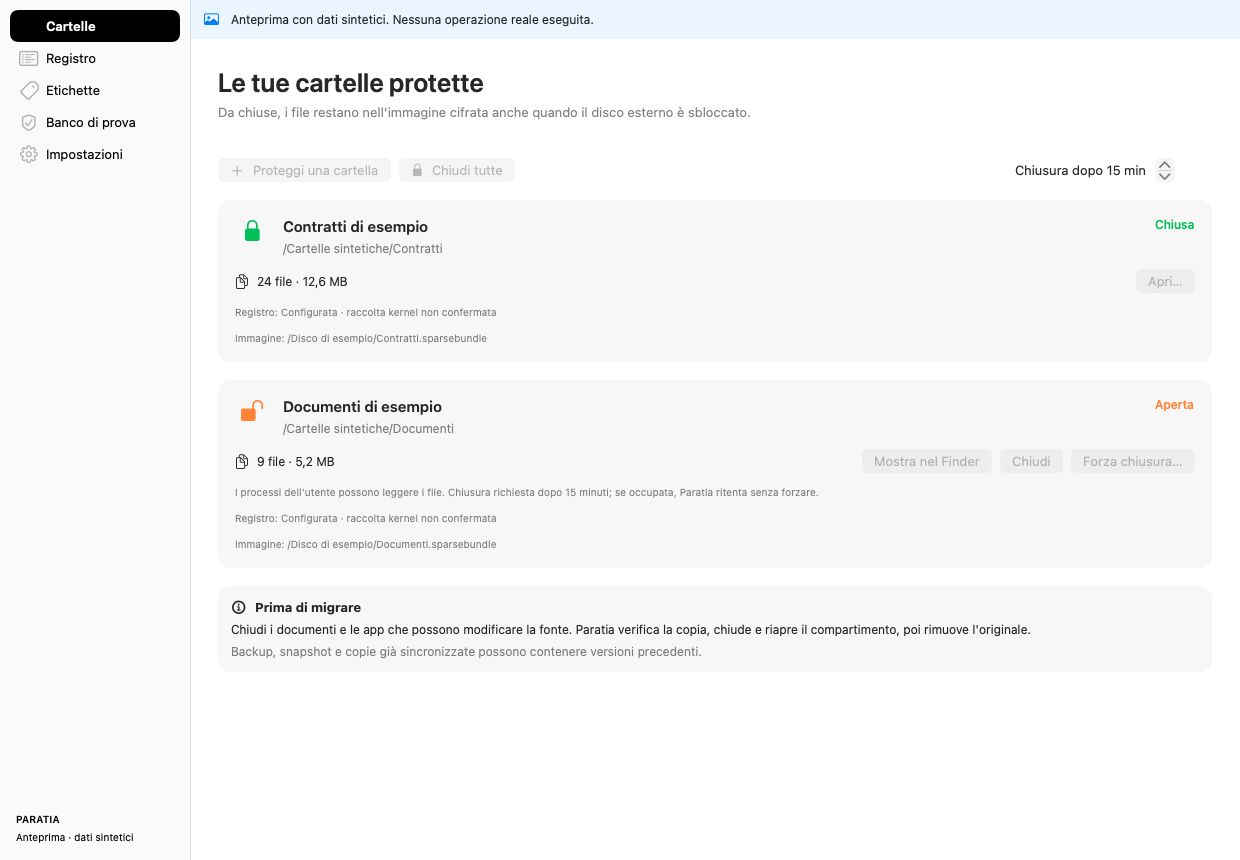
- Cartelle (folders): protected folders, their state, their timers and their migrations.
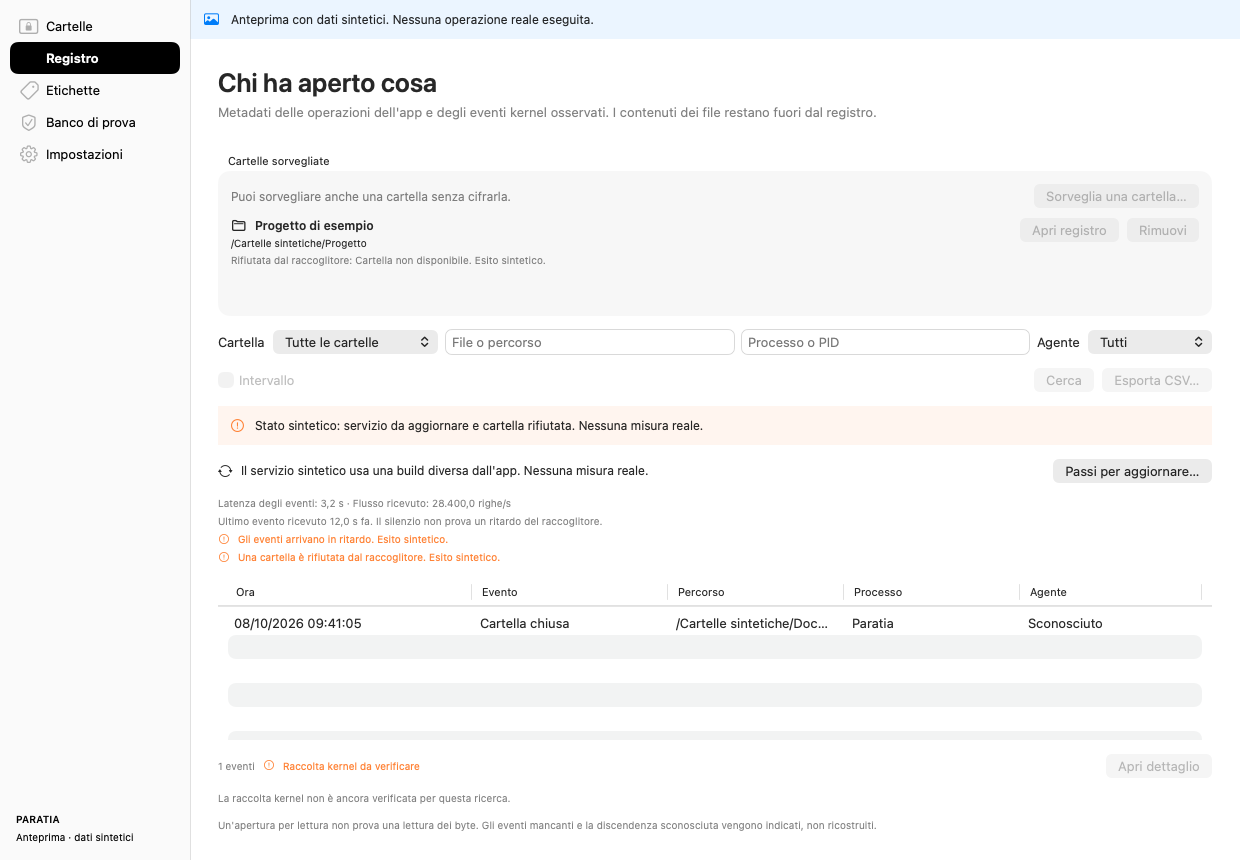
- Registro (log): the access log, its filters and CSV export, and whether kernel collection is active.
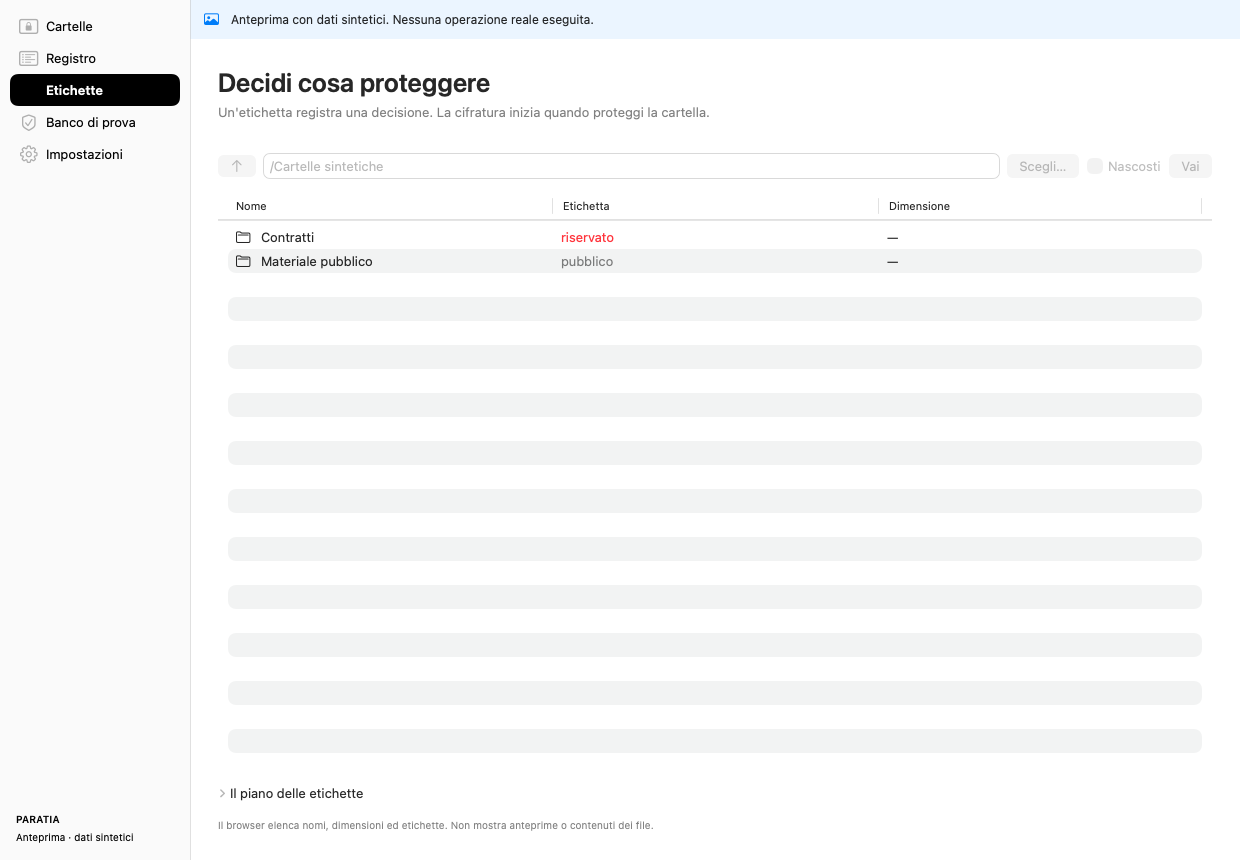
- Etichette (labels): decisions about what to protect. A label records a decision and moves nothing.
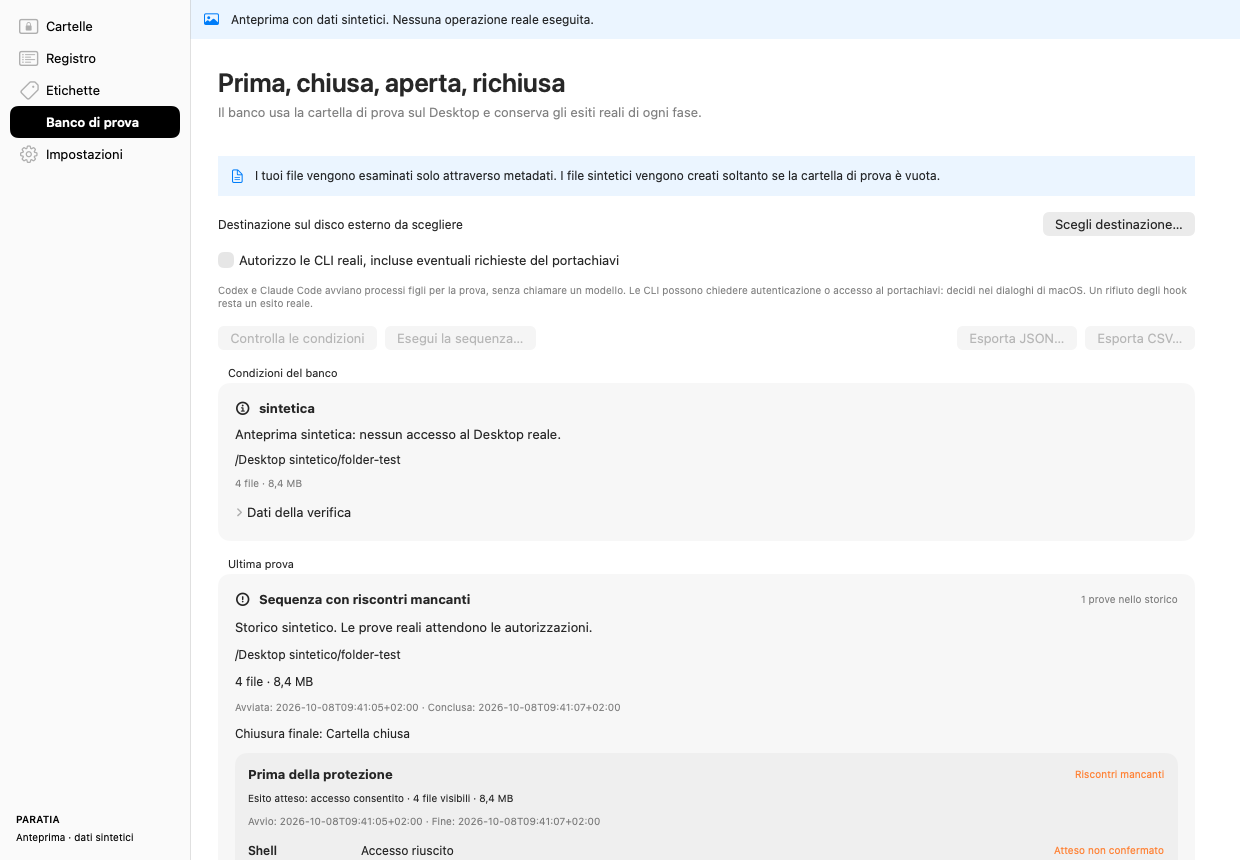
- Banco di prova (test bench): four phases, before, closed, open and closed again, each with its check result and any kernel evidence.
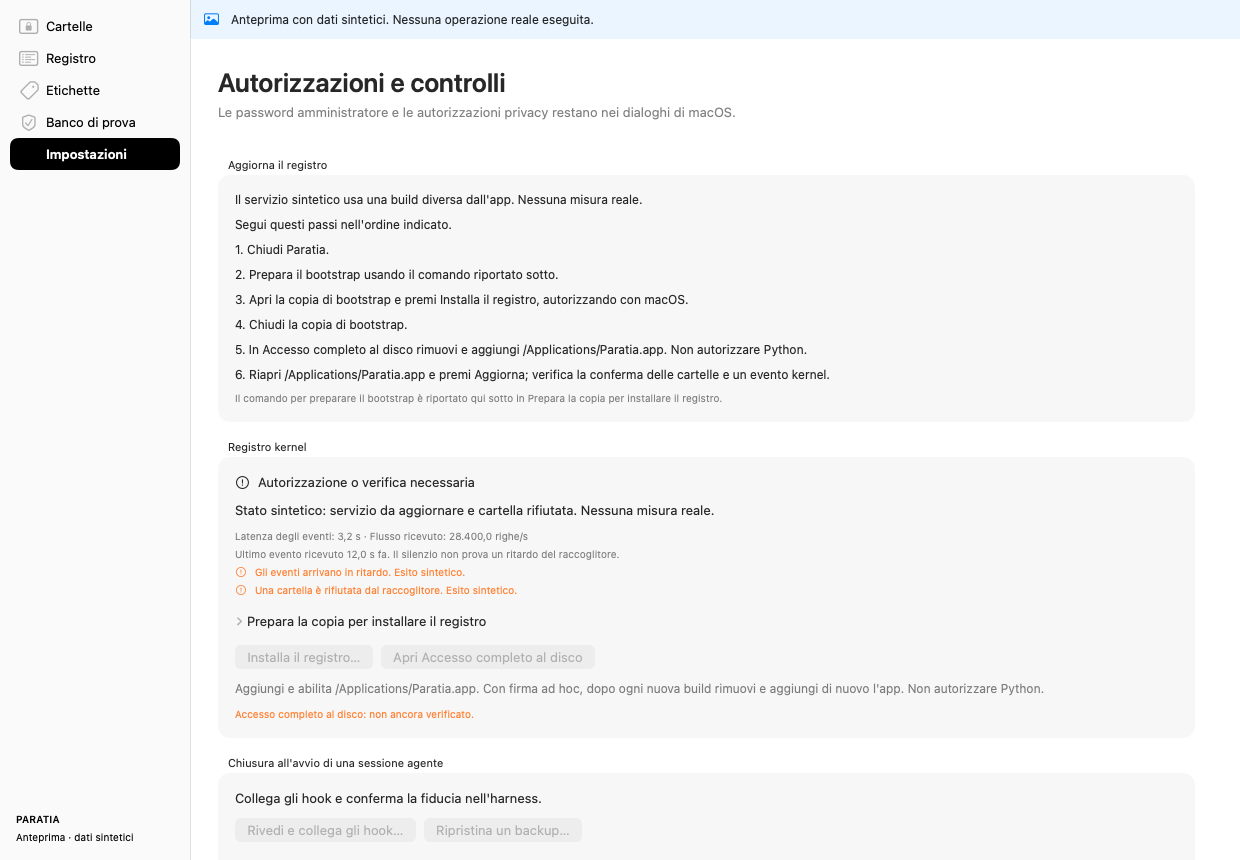
- Impostazioni (settings): log service updates, hook setup and privacy permissions. Administrator passwords stay in macOS dialogs.
The captures show a preview with synthetic sample data, as the banner at the top of each one says. No real operation ran.
Install
- Command line tool: macOS and Python 3.11 or later. It uses no third-party packages.
- Mac app: macOS 13 or later. You build it from the repository with Apple's Command Line Tools (the free developer tools from Apple) and rsvg-convert, a tool that converts SVG images. The app is signed ad hoc, which means it carries a local signature and no developer identity. It is not notarized, so Apple's automated check has not run on it.
- Keep the app in
/Applications.
The README has the exact commands for both.
The gate needs the session hook, a check registered in the agent's settings. Without the hook, an encrypted folder still works. The gate does not cover that session.
The app shows the planned changes to the Claude Code and Codex hook settings before it applies them. It keeps backups of the files it changes and keeps the settings already there. Codex hooks must be approved by hand in the Codex app's hook manager.
Kernel events come from a system service. You install it by running a preparation command yourself in Terminal, then approving an administrator dialog in macOS. The app also needs Full Disk Access, a macOS privacy permission. After each new build, remove the app's entry and add it again. Reinstall the service only when its code changes. The steps are in the GUI guide.
Installation steps in the README
Limits
The project documents these limits. Read them before you rely on a guarantee.
- While a folder is locked, its files are ciphertext. While it is open, it is an ordinary volume, and a secret an agent read while it was open stays in the model's context. Replace anything an agent has seen.
- While a folder is open, the gate denies the tool calls of the sessions that run it. An agent cannot work in those sessions until you close the folder.
- On a Mac with one account, the gate is tamper-evident, not tamper-proof. Tamper-evident means that a change leaves a trace. An agent running as you can rewrite your policy files and your agent settings, including which hook runs.
paratia seal and paratia attest report such changes afterwards. They do not prevent them. The protection that does not depend on the agent's cooperation is the encryption while the folder is locked.
- The gate covers only the sessions that run its hook. Other agent programs, such as Cursor and Aider, enforce their own hooks or none. Everything here is local to one machine: an agent with network access and an API credential can reach a model with none of these hooks.
- Delegation is checked on the Claude side only. A conversation that starts on the Codex side stays unrestricted until Codex runs its half of the check.
- The access log is not a complete history. An open event does not prove that a byte was read. Kernel collection does not report every access or every failed attempt, writes made only through memory mapping are not reported, and mounts and unmounts do not appear in the kernel log. Coverage of every access is not guaranteed.
- A label records a decision and protects nothing by itself. It is a JSON file (a plain-text data format) in your home directory, and the agent's account can rewrite it. Protection comes from encrypting the files.
- Removing the original after a move is not a secure erase. Backups, APFS snapshots (saved states of the disk that macOS keeps) and cloud copies made earlier keep their versions, and the physical blocks of an SSD (solid-state disk) are not wiped.
- Some measurements are still open. As of October 2026, the live run of the test bench has not been executed. Idle CPU use and event delay must be measured again after a new build is installed.
- The watch plan comes from a file that any program running as you can rewrite. It helps you set up a watch, and it is not a boundary.
Read more
The documents below are in Italian.
About the name
A paratia stagna is a watertight bulkhead: a wall across a ship that keeps one flooded compartment from taking the rest of the ship.
 paratia